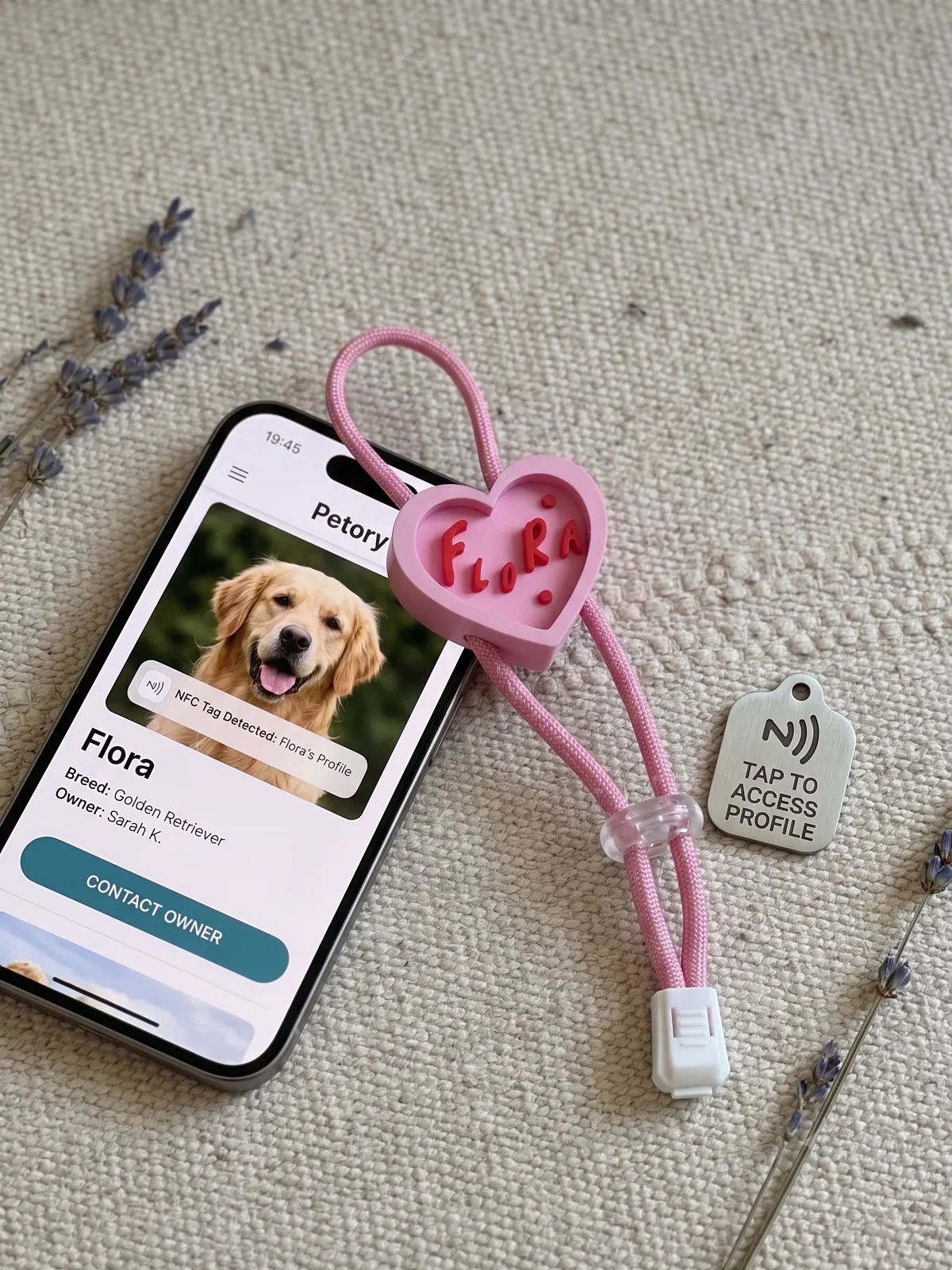
Smart Pet Tag
A hand-finished tag engraved with your pet's name — with an NFC chip sealed inside. One tap of a phone opens any page you choose: your contact info, Instagram, anything.
Buy 3, save $5 — applied automatically at checkout
Choose Colour · Pink
Up to 10 characters (letters, numbers, spaces). The more characters you use, the smaller each letter is engraved — short names read best.
You'll need to sign in to complete your order — takes 30 seconds.
Secure payment · Confirm your engraving at checkout
Made to order and engraved by hand — waterproof, with the NFC chip sealed inside.
Estimated production time: within 5-10 business days of placing your order.
“Halfway through the walk, the tag was just... gone.”
Most pet tags hang from a single split ring — one good shake, one romp through the bushes, and they're lost in the grass. We designed ours differently: an adjustable paracord loop that cinches snugly around the harness or collar itself, so it stays exactly where you put it.
Stays on. Rain or shine.
Won't Shake Off
The paracord loop and cord lock cinch down to fit any harness, collar, or leash — no dangling split ring to snag and snap.
Waterproof
The NFC chip is sealed inside the tag body. Rain, puddles, and muddy adventures are all fair game.
Tap to Connect
An NFC chip inside opens any link you choose when a phone taps it — your number, Instagram, or a pet profile page.
See It in Action
Fits on in seconds, and stays put on every walk.
NFC Setup Guide
Link any webpage to your tag with the free NFC Tools app (App Store / Google Play). Anyone who taps their phone on the tag opens your page — no app needed on their side.
1. Registering a URL (linking a new address)
- Download and open the NFC Tools app from the App Store or Google Play.
- Select the 'Write' menu on the main screen.
- Tap 'Add a record', then select 'URL / URI'.
- Enter the exact website address you want to link, and tap 'OK'.
- Once the address is added to the list, tap the 'Write' button at the bottom.
- When the "Approach an NFC Tag" prompt appears, gently tap the top back of your smartphone against the tag.
- A checkmark (✔) appears once registration is complete!
2. Editing the link (overwriting)
- You can change the link any time — no need to erase first.
- Go to the 'Write' menu in the app and enter the new URL.
- Tap the 'Write' button at the bottom.
- Tap the top back of your smartphone against the tag. The previous address is automatically overwritten.
3. Resetting the tag (erasing data)
- Use this to completely erase the data and leave the tag blank.
- Select the 'Other' tab on the main screen of the app.
- Tap 'Erase tag' from the menu.
- Tap the back of your smartphone against the tag. The content is completely wiped.
💡 Key Tips for Successful Tagging
- Correct tagging position: for most smartphones, including iPhones, the NFC reader sits at the very top of the back of the device (near the camera). Tap the top edge of the phone against the tag, not the middle or bottom.
- Screen unlock required: phones only read NFC tags while the screen is on and unlocked. If the tag isn't responding, check that the phone is awake and unlocked.
How It's Made
Pick colour & name
Choose one of four colours and tell us the name or initials to engrave.
3D-printed to order
Each tag is printed with your pet's name raised in relief — not a sticker.
NFC sealed inside
The chip is embedded in the tag body, safe from water and rough play.
Ready in 5-10 business days
Made in Calgary, then shipped or ready for local pickup.
Before You Order
- Engraving supports letters, numbers, and spaces — up to 10 characters.
- The more characters you use, the smaller each letter is engraved.
- The NFC link is set by you after delivery — you can change it any time, as often as you like.
Frequently Asked Questions
Does the other person need an app to read the tag?
No. Anyone taps the back of their phone on the tag and the linked page opens in their browser — nothing to install.
What should I link the tag to?
Anything with a URL: a notes page with your phone number, your Instagram, a Google contact card, or a pet-profile page. You write and rewrite the link yourself with the free NFC Tools app.
Will it survive rain and swimming?
Yes — the NFC chip is sealed inside the tag body, so rain, puddles, and baths are no problem.
Which phones can read it?
Any modern iPhone (XS and newer) or Android phone with NFC — no special hardware needed.
Can I fit it on a thick harness strap?
The adjustable paracord loop fits harnesses, collars, and leashes of any width — cinch it down with the cord lock and it stays put.